Ways to manage your social media profiles
The list of social networks that people should or are using is already massive and will always continue to grow. It’s gotten to the point…
The list of social networks that people should or are using is already massive and will always continue to grow. It’s gotten to the point now where it seems nearly impossible to be able to manage all of them effectively – that’s why many different individuals or companies are developing applications which allow people to manage them more easily.
However, there isn’t one place that will allow users to control every platform so this post will help you to understand how to combine a number of different applications and settings to achieve more through social networking.
Desktop applications
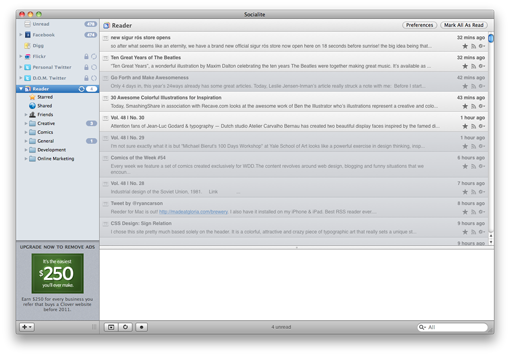 There are a number of desktop applications available. Fortunately many of these don’t just handle one social network, they handle several.
Benefits of using a desktop application
- Doesn’t require logging in more than once and doesn’t require a browser.
- Notifications are far more descriptive and useful than generic email notifications.
- More incognito than a browser.
- Usually very well designed and easy to use.
Disadvantages of using a desktop application
- Sometimes the best applications are ad-supported, so a (usually small) fee is required to use the app without distractions.
- Requires CPU usage.
- Cannot easily schedule updates.
Here's a list of desktop applications, their uses and which platform they're available on:
- TweetDeck: Allows control of Twitter, Facebook, MySpace, LinkedIn, Google Buzz and FourSquare. Available on OS X and Windows.
- Seesmic Desktop: Allows control over Twitter, Facebook and LinkedIn. Available on OS X and Windows.
- Echofon: Allows control over multiple Twitter accounts. Available on OS X.
- Socialite: Allows control over Facebook, Twitter, Flickr and Digg. Available on OS X.
- Skimmer: Allows control over Facebook, Twitter, Flickr, YouTubeb and Blogger. Available on OS X and Windows.
Web applications
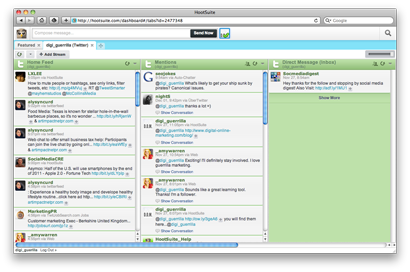 For those less-inclined to install applications on there system, there are some incredibly powerful web-based alternatives.
Benefits of using a web application
- Usually offer great features like the ability to invite more than one user to manage social media accounts – the ideal option for customer service support.
- The ability to schedule tweets is particularly useful for major press releases, announcements or even information that is embargoed until a certain time.
- If, for some reason, there is a hardware failure on a computer or if there is a power cut in your office, all data will still be accessible through other means.
Disadvantages of using a web application
- Not only are you relying on the servers of the social network, you're also relying on the servers of the web application which can sometimes be a little disconcerting.
- It requires access to a web browser rather than a dedicated platform.
Here's a list of web applications and their uses:
- HootSuite: Allows control over Twitter, Facebook (including separate page control), LinkedIn, fm, WordPress, MySpace and Foursquare.
- Seesmic: Allows control over Twitter, Facebook and LinkedIn.
- Brizzly: Allows control over Twitter and Facebook.
- SproutSocial: Allows control over Twitter, Facebook Personal Pages, Facebook Fan Pages, LinkedIn, Gowalla, Foursquare – though all features require $49 per month.
- CoTweet: Allows control over Twitter and Facebook.
Mobile applications
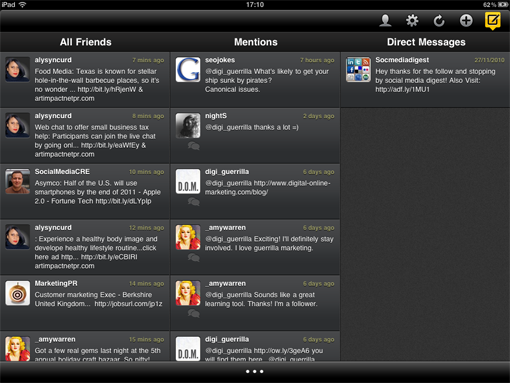
These are perfect for people who are often on the move without a laptop. Most smartphones now have dedicated application developers. A perfect example is the iPhone – it brought social networking to the masses because of the huge number of applications available for it. There's little better than having the ability to effectively network and earn money through a little piece of hardware in your pocket.
Benefits of using a mobile application
- The user interface of these applications are usually intuitive and very easy to use.
- Perfect for the individual who wishes to always be connected and interacting. They can use them whilst flying, on the train or even walking down a street.
- It's a given that most networks will end up with a mobile application sooner or later – a lot of networks now base all of their network on mobile applications rather than having the ability to interact through a website or desktop application (for example, Instagram).
- Allows the user to tweet about anything they see on the go. It's a certainty that more active users of social networks are more likely to gain more fans, followers or friends.
- There is a huge selection of applications available, so plenty to choose from – free or paid.
Disadvantages of using a mobile application
- Many social media applications cost money (although costs are usually low).
- The applications are usually limited to Android and iOS handsets – the applications available for Blackberries are usually limited or not as good as the alternatives on the other devices. Great for owners of Android/iOS phones but, as the phone of choice for many businesses, it is not good for them.
Here's a list of mobile applications and their uses:
- TweetDeck: Allows control over Twitter and Facebook. Available on iPhone, iPod Touch, iPad and Android.
- Seesmic: Available on iOS (with control over Twitter, Facebook, fm, MySpace, Tumblr, LinkedIn, Flickr, Blogger and more), Windows Phone (with control over Facebook and Twitter), Android and Blackberry (both of which only have control over Twitter).
- Sobees: Allows control over Facebook and Twitter (iPad) and Twitter (Android).
- Dedicated applications: iOS, Android and RIM (Blackberry) devices east boast the majority of dedicated social networking applications including Twitter, Facebook and Tumblr. So it is recommended to download these and set up automatic posting across all other platforms as outlined below.
Get your settings just right
Managing your social networks isn't just about picking the right application. You can save a lot of time merely by changing settings on each network. Many platforms allow you to automatically post to others, saving a lot of time and effort. However, keep in mind that it's always best to have a certain level of personalization on each because it's very easy to recognize automatic posting. Below is a list of what you should do:
- Allow autoposting to different platforms: Most websites are smart enough to know that their site isn't the only one you frequent, so in an effort to get more visitors to their own networks they enable the ability to automatically post. A perfect example of this is Tumblr, which allows users to set up their blog to automatically post a tweet. Pretty much every platform allow selective or automatic posting to the major networks (Facebook, Twitter and LinkedIn).
- Don't underestimate having multiple people controlling a platform: Explore the settings to find out if it's possible to allow more than one person to control the account. This eases the pressure of just one person and works very well. However, it's recommended to write a note at the end of the tweet to show that there's one more person controlling it. @MediaTemple are a perfect example of this – each tweet is ended with a forward slash and the initials of the twitterer.
- Manage as many platforms from one place as possible: Applications like HootSuite allow an amazing number of platforms to be used in one place, supporting Twitter, Facebook (including separate page control), LinkedIn, fm, WordPress, MySpace and Foursquare – it's hard to find anyone who does it so well.
 Written by Jason John Mills